Disclaimer: DeepL.com (free version) helped me a lot with the translation.
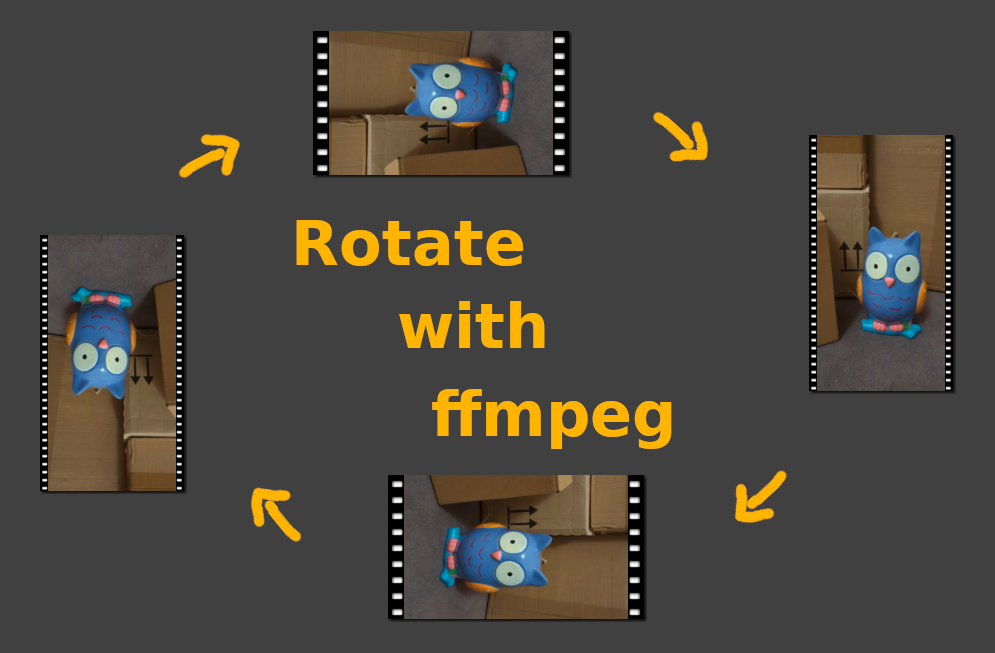
There are two main ways to rotate a video:
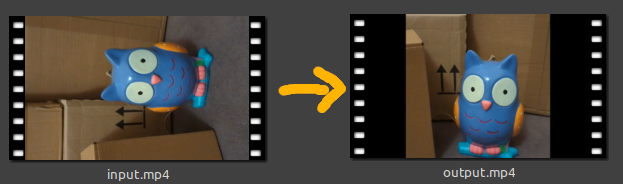
And we don’t just want to rotate the image in the video. Because then parts of the image will be cut off and black bars will appear at the edges:
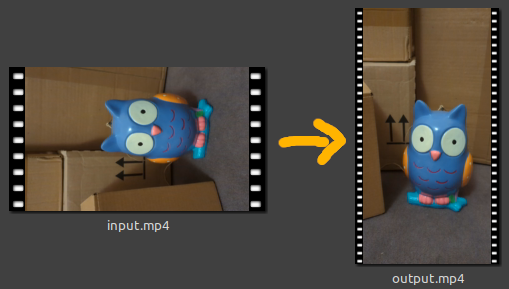
To avoid this, we want to rotate the entire video, together with its orientation. This means that a horizontal video becomes a vertical video. Or a vertical one becomes a horizontal video.
To do this, the image in the video is rotated, but the aspect ratio of the video is also adjusted:
If we rotate the video and completely re-render it, this will take a little longer than just adjusting the metadata.
But we can be sure that every video program will be able to handle the new video and there will be no problems.
ffmpeg -i "input.mp4" -vf "rotate=90*PI/180:oh=iw:ow=ih" "output.mp4"
-i "input.mp4": Specifies the input file.-vf "rotate=90*PI/180:oh=iw:ow=ih": Specifies the video filter “rotate”. The angle must be specified here in “rad” (radians).
90*PI/180 “rad” corresponds to 90°. PI corresponds to 180°, PI/180 then corresponds to 1° and 90*PI/180 then corresponds to 90°)oh=iw means that the output height should correspond to the input width in order to change the alignment of the video. (oh stands for “output-height” and iw for “input-width”)ow=ih means that the output width should correspond to the input height in order to change the orientation of the video. (ow stands for “output-width” and ih for “input-height”)"output.mp4": Specifies the output file.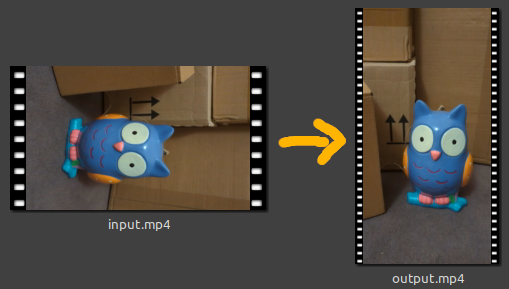
ffmpeg -i "input.mp4" -vf "rotate=-90*PI/180:oh=iw:ow=ih" "output.mp4"
-90*PI/180 “rad” corresponds to -90°. PI corresponds to 180°, PI/180 then corresponds to 1° and -90*PI/180 then corresponds to -90°)oh=iw means that the output height should correspond to the input width in order to change the alignment of the video. (oh stands for “output-height” and iw for “input-width”)ow=ih means that the output width should correspond to the input height in order to change the orientation of the video. (ow stands for “output-width” and ih for “input-height”)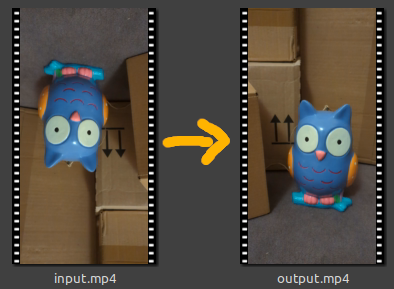
ffmpeg -i "input.mp4" -vf "rotate=180*PI/180" "output.mp4"
180*PI/180 “rad” corresponds to 180°. (PI corresponds to 180°, PI/180 then corresponds to 1° and 180*PI/180 then corresponds to 180°)oh=iw and ow=ih are omitted as the orientation of the video remains the same when rotated by 180°.Now we only want to adjust the MetaData so that the video is rotated. This is much faster because the video does not have to be re-rendered, but can be copied almost completely.
Attention: This can lead to errors in some video programs if they do not handle the MetaData!
However, if you only want to use the video yourself and your own software can handle it, this can be a very fast alternative.
Attention: It is possible that e.g. an upright video (portrait video) already has the rotation value 90 or -90 in its metadata! Then we have to try out a bit which of the values is the right one for us: 0, 90, -90 oder 180.
But you can just try it out, because the method is so fast anyway.
ffmpeg -i "input.mp4" -map_metadata 0 -metadata:s:v rotate="-90" -codec copy "output.mp4"
-map_metadata 0 means that the MetaData should be taken from the 1st input file.
-metadata:s:v rotate="-90" edits the MetaData:
-metadata:s:v means that the MetaData for subTitles and the video should be edited (s stands for “subTitles” and v for “video”)
rotate="-90" means that the camera was rotated by -90° during filming .. and therefore the video should be rotated by +90° during display.
Attention: We write -90 to rotate the video +90°!
ffmpeg -i "input.mp4" -map_metadata 0 -metadata:s:v rotate="90" -codec copy "output.mp4"
rotate="90" means that the camera was rotated by +90° during filming .. and therefore the video should be rotated by -90° during display.
Attention: We write 90 to rotate the video -90°!
ffmpeg -i "input.mp4" -map_metadata 0 -metadata:s:v rotate="180" -codec copy "output.mp4"
rotate="180" means that the camera was rotated by +180° when filming … and therefore the video should be rotated by -180° when displaying.The sign does not matter here, because a rotation by +180° is the same as a rotation by -180°.